Top Web Accessibility Tools to Improve Your Website in 2026

Top Web Accessibility Tools to Improve Your Website in 2024

Web accessibility is not only about compliance with legal standards, it is about web usability by everyone. Your website should be made accessible to people with disabilities in light of the ongoing development of the internet. Fortunately, there are numerous web accessibility tools for determining and correcting problems that can interfere with the interaction of users with your content. We'll examine which web accessibility solutions, their features, and potential uses in 2024 in the article that follows.

Why Web Accessibility Matters

Web accessibility is not simply about avoiding legal pitfalls – it’s about making your website available and navigable to everyone. When the internet has become the transparent part of our lives we need to make sure that our website is accessible. Furthermore, over time, different search engines start taking accessibility into their algorithm, and thus it benefits the SEO as well.

1. AccessBit

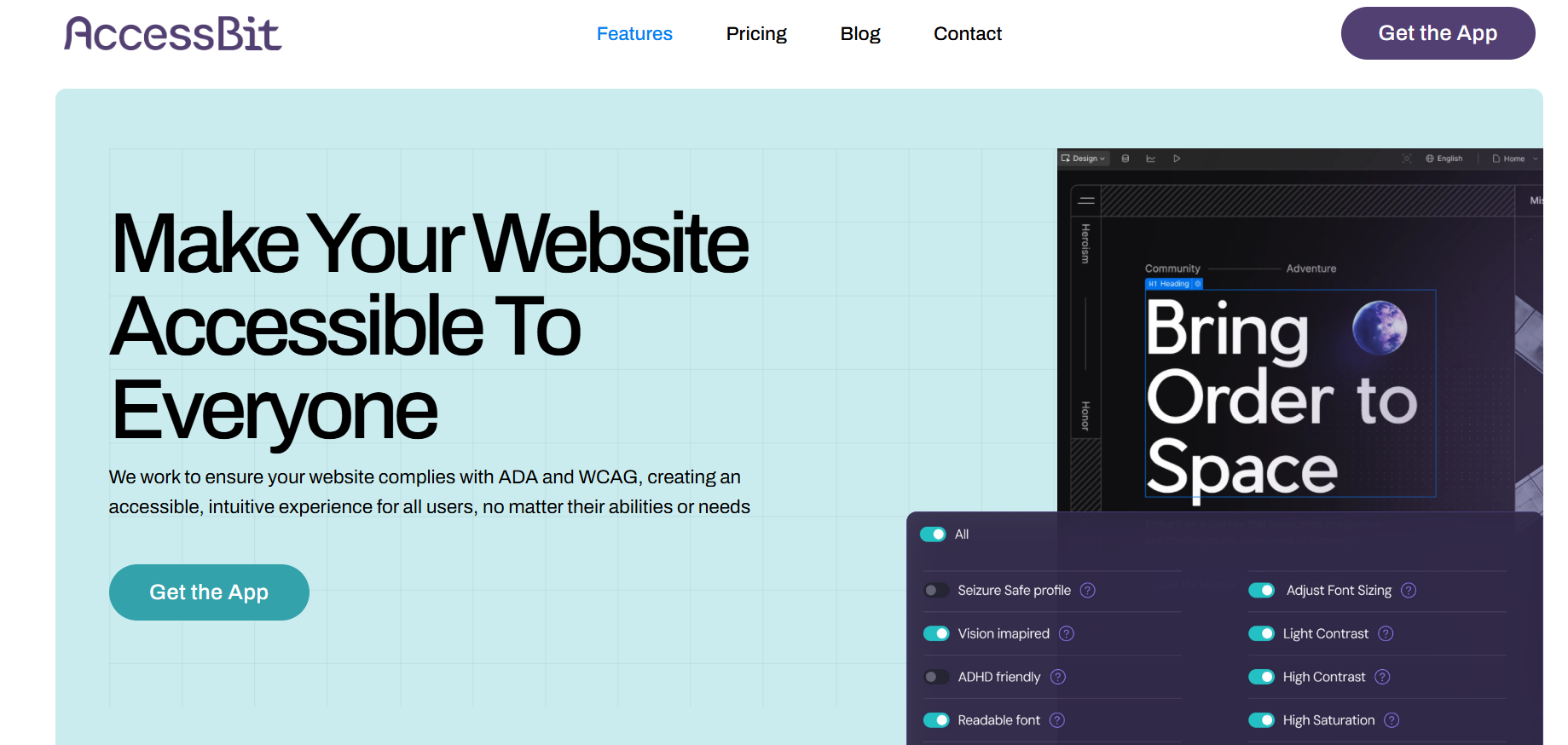
AccessBit is a lightweight accessibility widget designed to enhance website usability for visitors with disabilities. It integrates easily into websites (especially Webflow projects) and provides users with on-screen controls to adjust font size, contrast, spacing, and other visual elements. Rather than fully automating backend fixes, AccessBit focuses on improving frontend accessibility and user customization. It is especially useful for businesses that want a clean, design-friendly accessibility layer without heavy system changes.
AccessBit

Key features:

  • Easy no-code integration, particularly for Webflow sites.
  • Customizable accessibility widget aligned with brand design.
  • User-controlled adjustments such as text scaling and contrast modes.
  • Responsive functionality across desktop and mobile devices.

Best for:

Businesses and Webflow users looking for a simple, visually integrated accessibility widget that enhances user experience without complex implementation.

2. AccessiBe

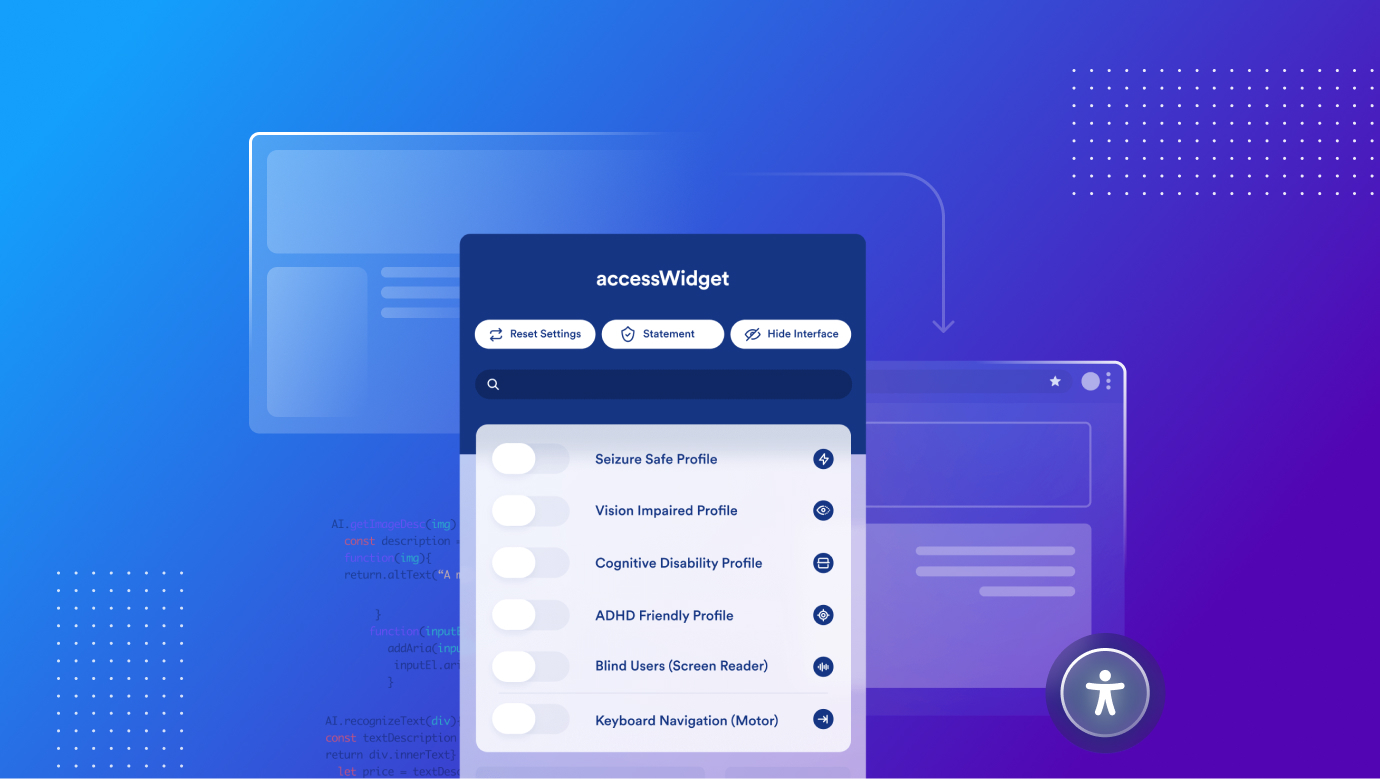
AccessiBe is an AI-based tool that not only points out the problems of accessibility but also provides solutions on the spot to make the website fully compatible with WCAG standards. It is a popular option for those firms eager to forget about accessibility for the most part and have it addressed on auto-pilot. There is also a dashboard at AccessiBe that shows changes over time, thus making it easier for any website owner to stay in compliance.
 

AccessiBe

Key features:

  • Super-fast in implementation just by dropping some piece of code.
  • ashboard for documenting access arrangements. 
  • Not staying in contact with the client to ensure that everything is being monitored.


Best for:

Organizations that require an automatized, low-interference means of maintaining adherence to accessibility standards.

2. Axe by Deque 

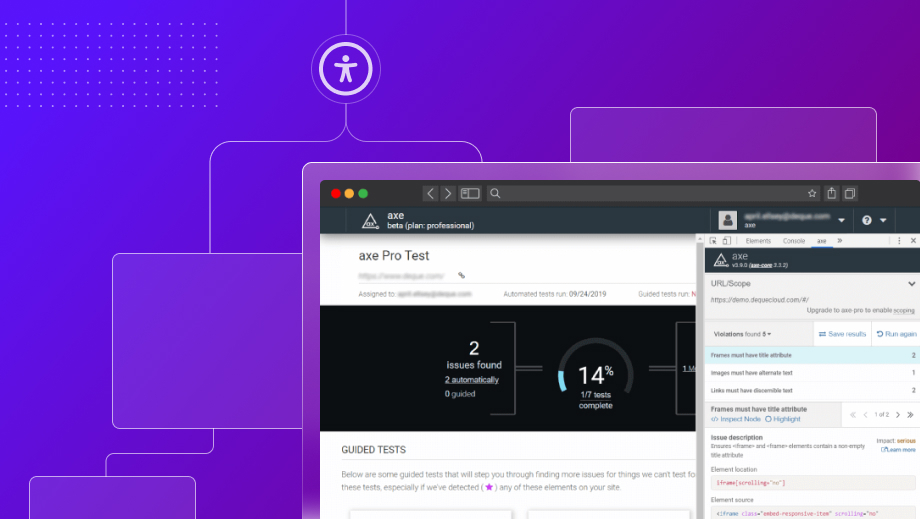
Axe is an open-source web accessibility testing tool that provides developers with a way to test accessibility within their software pipelines. The implementation and use of AI in development is especially common because of its feature that conducts tests for accessibility issues ongoing throughout the development process. But Axe is not just for identifying a problem, it also provides recommendations on how to solve it, which is important for teams working on building an accessible website from scratch. 
 

Axe by Deque

Key features:

  • Other benefits include interoperation with development environments. 
  • Has some of the most enhanced or automated testing and precise issue reporting. 
  • Open source with a very active user community. 


Best for:

Software developers who require a powerful tool that can help them with automated testing for accessibility within their devised development environment. 

3. Lighthouse

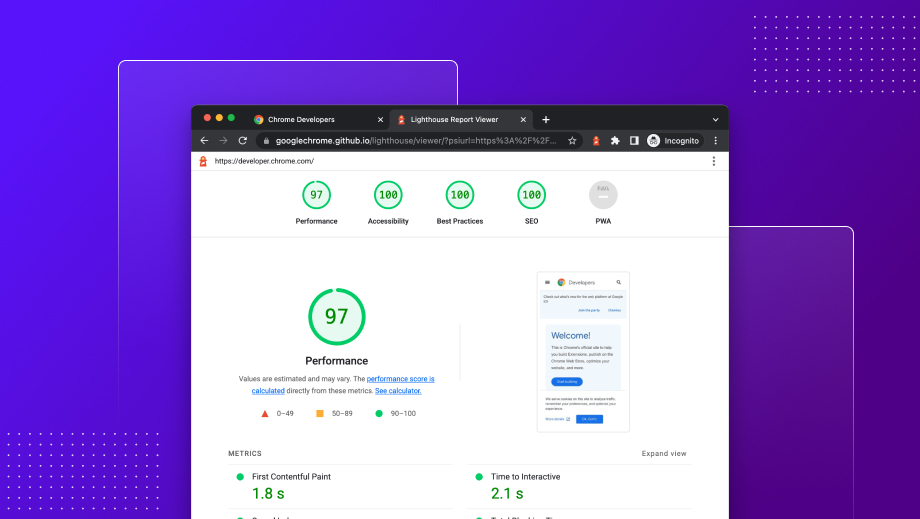
Lighthouse is a holistic audit solution created by Google that provides a wide range of information as to a website’s performance where one of the sections is accessibility. Lighthouse is most advantageous for developers and SEO specialists, who need a tool that can analyze a site for performance, SEO, and accessibility, all at once. Also, It is built into the Chrome DevTools. It is quantitative where a report is produced alongside the use of a scoring system, which enables review in the future to see the amount of progress that has been made. 
 

Google Lighthouse

Key features:

  • Concise evaluations that encompass both usability and efficiency, as well as search engine optimization. 
  • Part of other Chrome DevTools. 
  • Use of a scoring system to measure these changes.
  • Especially useful for mobile testing.


Best for:

Developers and SEO professionals. They are often interested in the machine-readable, semantic web, more than simple access and use of web page content.

4. WAVE: Web Accessibility Evaluation Tool 


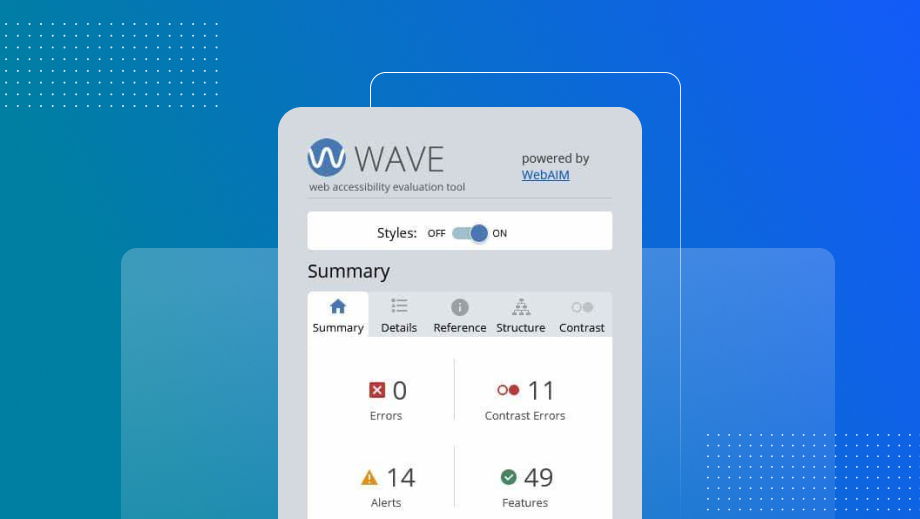
WAVE is a useful tool that adds indicators and markers to websites so that people are immediately informed about how accessible their pages are. This tool is very helpful in identifying these kinds of errors, including when there is an erroneous or missing {alt text}, insufficient contrast, or a structural flaw that could affect a user who has limited access. WAVE is offered as a browser add-on and online application, which simplifies integration with a workflow. 
 

WAVE: Web Accessibility Evaluation Tool

Key features: 

  • Visual overlay for quick evaluation.
  • An accessibility check companion browser add-on (Chrome-extension).
  • Using contrast and recording mistakes in logs. 


Best for: 

Developers who want to promptly identify and resolve accessibility concerns throughout the development process.


5. SortSite

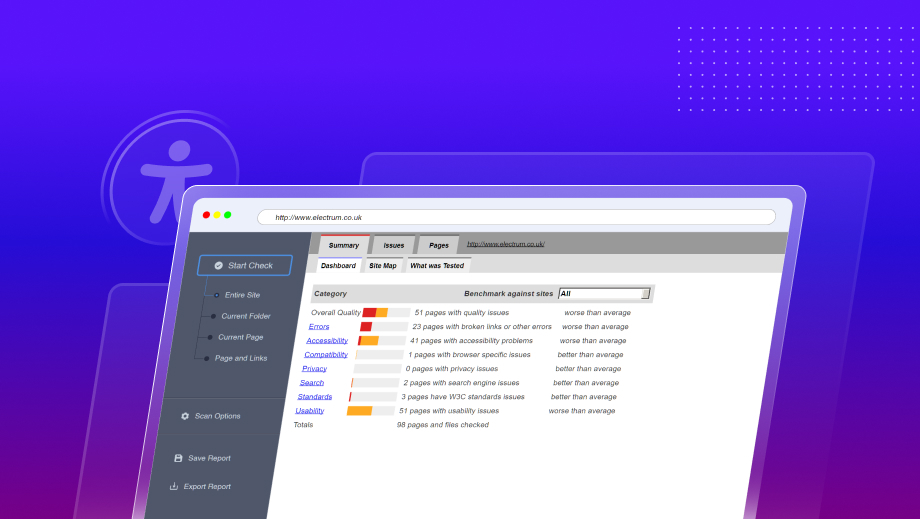
SortSite is a useful application intended for checking websites for accessibility problems. The SEO power suit is especially beneficial for big websites as it can sustain 1000s of pages in one sweep. SortSite also analyzes other areas of compliance such as general usability and SEO and so provides the user with a comprehensive report of the site’s health. 
SortSite

Key features:

  • Effective enough to crawl through huge sites that may contain several hundreds of pages up to tens of thousands. 
  • Runs through the different aspects of usability, search engine optimization, and accessibility. 
  • Easy one-click scan to make quick assessments. 


Best for:

For big websites that require a tool that can address issues with accessibility as well as usability and SEO. 


6. Silktide 

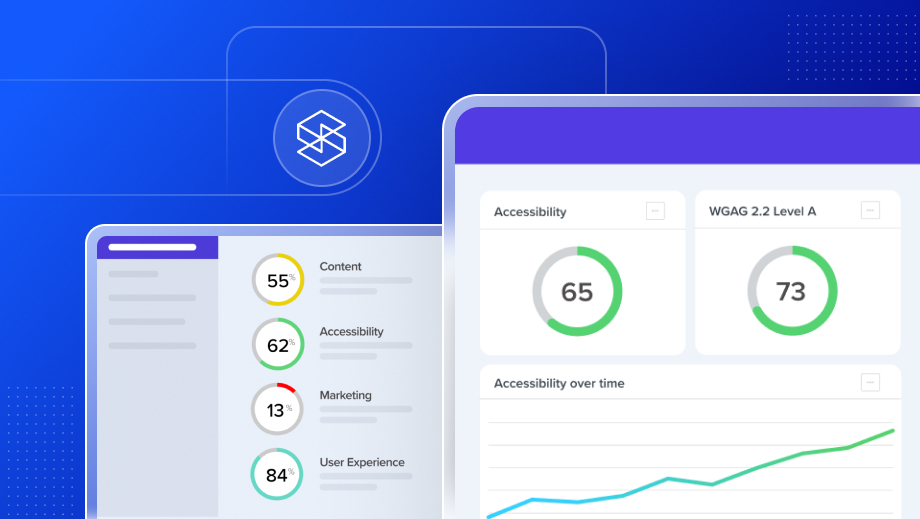
Silktide is equipped with quite a few efficient accessibility testing features. Silktide is ideal for companies who want easy-to-read reports and continuous updates, and who don't have any trouble keeping business accessibility available at all times. As one of a number of auxiliary features to the main user experience, accessibility features are integrated into the platform as a whole. 
Silktide

Key features: 

  • Real-time monitoring and straightforward graphs. 
  • It is a component of a web management suite that is integrated. 
  • Pays maximum attention to enhancing the general utility of the products. 

Best for: 

Any organization that is in search of a permanent solution to the accessibility issue to enable constant improvement of accessibility. 

7. Pa11y 

Pa11y is a tool that can also be used for automated and manual accessibility testing and is open source. It is appreciated for the customization feature that developers can use to embed into the Continuous Integration and Continuous Deployment (CI/CD) system. Pa11y offers teams the ability to customize their accessibility testing services according to their preferences. 
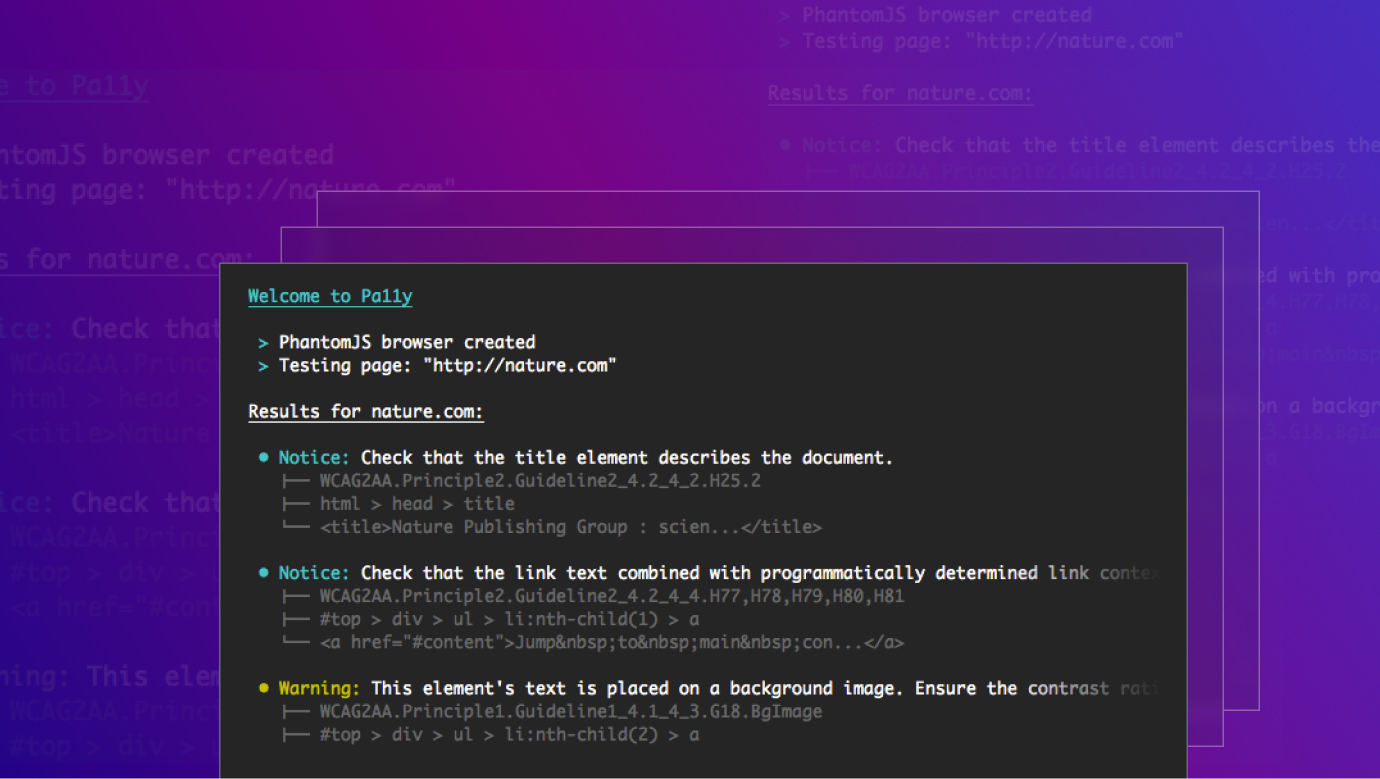
 

Pa11y

Key features: 

  • Adaptable for use in the integration of CI/CD tools. 
  • Supports both, automated testing and manual testing. 
  • Open-source with community contributions. 

Best for: 

Development teams that are looking for a customized tool with several features to conduct accessibility testing which can also be modified according to the developer’s convenience. 

Integrating Accessibility Testing into Your Development Cycle

When accessibility testing becomes part of the standard development and when methods like WAVE, Axe, or AccessiBe are employed, accessibility remains part of a website’s landscape after it has gone through the audit. Whether you’re searching for an automated method, detailed manual testing, or both, there is the right tool for everything!

Conclusion

Choosing the appropriate web accessibility tool is seen to be essential to guarantee that a website is user-friendly and accessible to all users. All of the tools listed above will be helpful for developers, business owners, and accessibility professionals to identify and remove obstacles and ensure that the website is accessible to everyone. By bringing these tools into 2024, you can contribute to creating a welcoming and generally satisfying online environment for all.

Do you want to keep reading?

Enter your details to read more and download PDF

By entering your details, you’ll get instant access to the PDF. We respect your privacy and won’t share your information.

Oops! Something went wrong while submitting the form.

FAQ

No items found.

Editorial Team

Publisher

Web accessibility is not only about compliance with legal standards, it is about web usability by everyone. Your website should be made accessible to people with disabilities in light of the ongoing development of the internet. Fortunately, there are numerous web accessibility tools for determining and correcting problems that can interfere with the interaction of users with your content. We'll examine which web accessibility solutions, their features, and potential uses in 2024 in the article that follows.

Why Web Accessibility Matters

Web accessibility is not simply about avoiding legal pitfalls – it’s about making your website available and navigable to everyone. When the internet has become the transparent part of our lives we need to make sure that our website is accessible. Furthermore, over time, different search engines start taking accessibility into their algorithm, and thus it benefits the SEO as well.

1. AccessBit

AccessBit is a lightweight accessibility widget designed to enhance website usability for visitors with disabilities. It integrates easily into websites (especially Webflow projects) and provides users with on-screen controls to adjust font size, contrast, spacing, and other visual elements. Rather than fully automating backend fixes, AccessBit focuses on improving frontend accessibility and user customization. It is especially useful for businesses that want a clean, design-friendly accessibility layer without heavy system changes.

AccessBit

Key features:

  • Easy no-code integration, particularly for Webflow sites.
  • Customizable accessibility widget aligned with brand design.
  • User-controlled adjustments such as text scaling and contrast modes.
  • Responsive functionality across desktop and mobile devices.

Best for:

Businesses and Webflow users looking for a simple, visually integrated accessibility widget that enhances user experience without complex implementation.

2. AccessiBe

AccessiBe is an AI-based tool that not only points out the problems of accessibility but also provides solutions on the spot to make the website fully compatible with WCAG standards. It is a popular option for those firms eager to forget about accessibility for the most part and have it addressed on auto-pilot. There is also a dashboard at AccessiBe that shows changes over time, thus making it easier for any website owner to stay in compliance.


AccessiBe

Key features:

  • Super-fast in implementation just by dropping some piece of code.
  • ashboard for documenting access arrangements. 
  • Not staying in contact with the client to ensure that everything is being monitored.


Best for:

Organizations that require an automatized, low-interference means of maintaining adherence to accessibility standards.

2. Axe by Deque 

Axe is an open-source web accessibility testing tool that provides developers with a way to test accessibility within their software pipelines. The implementation and use of AI in development is especially common because of its feature that conducts tests for accessibility issues ongoing throughout the development process. But Axe is not just for identifying a problem, it also provides recommendations on how to solve it, which is important for teams working on building an accessible website from scratch. 


Axe by Deque

Key features:

  • Other benefits include interoperation with development environments. 
  • Has some of the most enhanced or automated testing and precise issue reporting. 
  • Open source with a very active user community. 


Best for:

Software developers who require a powerful tool that can help them with automated testing for accessibility within their devised development environment. 

3. Lighthouse

Lighthouse is a holistic audit solution created by Google that provides a wide range of information as to a website’s performance where one of the sections is accessibility. Lighthouse is most advantageous for developers and SEO specialists, who need a tool that can analyze a site for performance, SEO, and accessibility, all at once. Also, It is built into the Chrome DevTools. It is quantitative where a report is produced alongside the use of a scoring system, which enables review in the future to see the amount of progress that has been made. 


Google Lighthouse

Key features:

  • Concise evaluations that encompass both usability and efficiency, as well as search engine optimization. 
  • Part of other Chrome DevTools. 
  • Use of a scoring system to measure these changes.
  • Especially useful for mobile testing.


Best for:

Developers and SEO professionals. They are often interested in the machine-readable, semantic web, more than simple access and use of web page content.

4. WAVE: Web Accessibility Evaluation Tool 


WAVE is a useful tool that adds indicators and markers to websites so that people are immediately informed about how accessible their pages are. This tool is very helpful in identifying these kinds of errors, including when there is an erroneous or missing {alt text}, insufficient contrast, or a structural flaw that could affect a user who has limited access. WAVE is offered as a browser add-on and online application, which simplifies integration with a workflow. 


WAVE: Web Accessibility Evaluation Tool

Key features: 

  • Visual overlay for quick evaluation.
  • An accessibility check companion browser add-on (Chrome-extension).
  • Using contrast and recording mistakes in logs. 


Best for: 

Developers who want to promptly identify and resolve accessibility concerns throughout the development process.


5. SortSite

SortSite is a useful application intended for checking websites for accessibility problems. The SEO power suit is especially beneficial for big websites as it can sustain 1000s of pages in one sweep. SortSite also analyzes other areas of compliance such as general usability and SEO and so provides the user with a comprehensive report of the site’s health. 

SortSite

Key features:

  • Effective enough to crawl through huge sites that may contain several hundreds of pages up to tens of thousands. 
  • Runs through the different aspects of usability, search engine optimization, and accessibility. 
  • Easy one-click scan to make quick assessments. 


Best for:

For big websites that require a tool that can address issues with accessibility as well as usability and SEO. 


6. Silktide 

Silktide is equipped with quite a few efficient accessibility testing features. Silktide is ideal for companies who want easy-to-read reports and continuous updates, and who don't have any trouble keeping business accessibility available at all times. As one of a number of auxiliary features to the main user experience, accessibility features are integrated into the platform as a whole. 

Silktide

Key features: 

  • Real-time monitoring and straightforward graphs. 
  • It is a component of a web management suite that is integrated. 
  • Pays maximum attention to enhancing the general utility of the products. 

Best for: 

Any organization that is in search of a permanent solution to the accessibility issue to enable constant improvement of accessibility. 

7. Pa11y 

Pa11y is a tool that can also be used for automated and manual accessibility testing and is open source. It is appreciated for the customization feature that developers can use to embed into the Continuous Integration and Continuous Deployment (CI/CD) system. Pa11y offers teams the ability to customize their accessibility testing services according to their preferences. 


Pa11y

Key features: 

  • Adaptable for use in the integration of CI/CD tools. 
  • Supports both, automated testing and manual testing. 
  • Open-source with community contributions. 

Best for: 

Development teams that are looking for a customized tool with several features to conduct accessibility testing which can also be modified according to the developer’s convenience. 

Integrating Accessibility Testing into Your Development Cycle

When accessibility testing becomes part of the standard development and when methods like WAVE, Axe, or AccessiBe are employed, accessibility remains part of a website’s landscape after it has gone through the audit. Whether you’re searching for an automated method, detailed manual testing, or both, there is the right tool for everything!

Conclusion

Choosing the appropriate web accessibility tool is seen to be essential to guarantee that a website is user-friendly and accessible to all users. All of the tools listed above will be helpful for developers, business owners, and accessibility professionals to identify and remove obstacles and ensure that the website is accessible to everyone. By bringing these tools into 2024, you can contribute to creating a welcoming and generally satisfying online environment for all.
Do you want to keep reading?

Enter your details to read more and download PDF

Enter your details to read more

By entering your details, you’ll get instant access to the PDF. We respect your privacy and won’t share your information.

Oops! Something went wrong while submitting the form.

FAQ

No items found.

Editorial Team

Publisher